
MonsterWin Mobile Casino App

MonsterWin runs as a mobile-first HTML5 platform optimised for Australian phones and tablets, with full casino, sportsbook, and cashier functionality available without an app store download. Android players can install an optional APK distributed directly from the official MonsterWin site, while iOS users add a web app shortcut to the Home Screen through Safari. Both routes share the same account credentials, payment methods, and bonus eligibility as the desktop site. This page covers installation steps for each device, system requirements, supported features on mobile, and common fixes for connection or login issues encountered during mobile play.
Browser Play vs Android APK vs iOS Web App
MonsterWin offers three routes to mobile play, all sharing the same account credentials and balance. The choice depends on the device, the level of convenience preferred, and whether the player wants a separate app icon on the home screen.
| Access Method | Platform | Install Required | Notifications |
|---|---|---|---|
| Browser play | Any modern device | No | Not available |
| Android APK | Android 8.0+ | Yes — APK from official site | Available |
| iOS web app | iPhone, iPad | Yes — Add to Home Screen | Limited web push |
Native apps in the Apple App Store and Google Play are not available because both platforms restrict real-money gambling content for Australian users. The APK and Add-to-Home-Screen routes work around that restriction without compromising on the lobby, cashier, or bonus access.
Installing the MonsterWin APK on Android
The Android APK delivers the closest experience to a native app — a dedicated icon on the home screen, fast launch times, and a stable session that survives device restarts. Installation takes around two minutes on a stable connection and does not require a Google Play account.
- Open the MonsterWin website in Chrome or Samsung Internet on the Android device
- Tap the App link in the main navigation menu
- Download the APK file when the browser prompts
- Open the file from the Downloads notification or the device file manager
- Confirm "Install from unknown sources" if Android requests permission
- Launch the new MonsterWin icon from the home screen and sign in
After installation, players sign in with the existing credentials used on desktop. The APK self-updates when a new version is released, and the icon behaves identically to any other installed Android application on the device.
Adding MonsterWin to iPhone or iPad Home Screen
Apple devices use the Add-to-Home-Screen flow instead of a downloadable installer. The setup creates a launcher icon that opens MonsterWin in a Safari-powered web app shell — visually similar to a native app, with full cashier and game access. Installation takes under a minute on Wi-Fi or 5G.
- Open Safari on the iPhone or iPad and visit the MonsterWin homepage
- Tap the Share icon in the Safari toolbar
- Scroll the share sheet and select Add to Home Screen
- Confirm the icon name and tap Add in the top-right corner
- Launch MonsterWin from the new icon on the device home screen
Chrome and Firefox on iOS do not support Add-to-Home-Screen for web apps. Players using non-Safari browsers on Apple devices can still play through the regular mobile website with full lobby and cashier functionality.
Mobile Features and Supported Functions
The mobile build mirrors the desktop platform on every functional level. Pokies, live dealer tables, sportsbook, the cashier, KYC document upload, bonus claiming, tournaments, and the Bonus Crab daily mini-game all run inside the mobile interface with no feature gaps for Aussie users.
Features available on mobile:
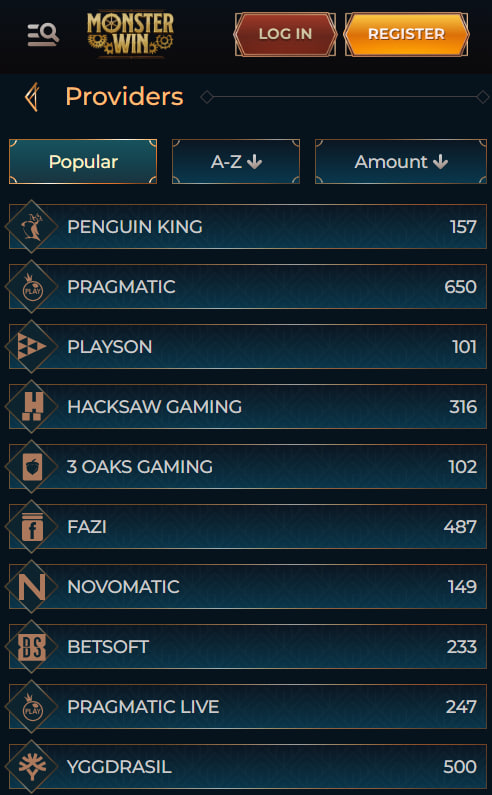
- Full 12,000+ pokie library with provider and category filters
- Live dealer tables streamed from Evolution Gaming and Pragmatic Play Live
- Sportsbook with pre-match, live betting, and cash-out controls
- Cashier deposits via PayID, cards, e-wallets, and crypto
- KYC document upload directly from the device camera
- Welcome bonus, reload, and free spin activation
- Biometric login via Face ID, Touch ID, or fingerprint
- Push notifications for promotion launches and account events
New players can complete mobile sign-up in around two minutes, and cashier limits, withdrawal speed, and bonus terms are identical to the desktop site — full conditions are published on the bonus page.
System Requirements and Connection Speed
The mobile build runs on most modern smartphones and tablets released within the past five years. Performance scales with device specifications, but the lobby loads quickly even on entry-level hardware.
| Requirement | Minimum | Recommended |
|---|---|---|
| Android version | 8.0 (Oreo) | 11 or later |
| iOS version | 14 | 16 or later |
| RAM | 2 GB | 4 GB or more |
| Connection | 4G mobile | 5G or Wi-Fi |
| Storage (APK) | 25 MB | 50 MB |
Page load time sits between one and two seconds on a stable 4G connection, with live dealer tables requiring at least 5 Mbps for smooth video streaming.

Percival Hawksworth
Percival Hawksworth reviews MonsterWin Casino at monsterw1ncasino.com — the Costa Rica-authorised international brand operated by Lumina Holdings Limitada (Company #3-102-924718) via Altair Affiliates. Covers the 12,000+ title lobby from 110+ providers (Pragmatic Play + Play'n GO + NetEnt + Evolution + Hacksaw + Yggdrasil), the integrated sportsbook across NRL/AFL/EPL/NBA/esports with 100% accumulator boost on 21+ leg multis, the 250% up to A$4,000 + 150 FS three-tier welcome at 35×/40× wagering, the 5-level VIP with daily 3-15% cashback + Bonus Crab mini-game + PayID/BPAY/crypto AUD-native banking.